The profile contains the required information for publishing the product to eBay, such as listing settings and configuration details.
At this stage, you must either:
- Create a new profile, or
- Select an existing profile (if you have already created one).
If a profile has been created previously, select it from the dropdown. Otherwise, enter a Profile Name to create a new one.
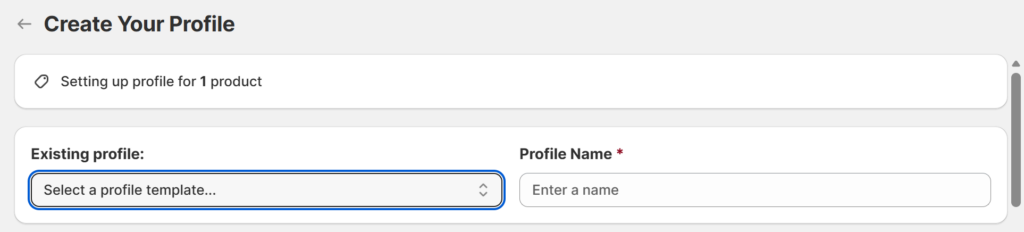
To create a new Profile:
1. Item Location

Enter the product location for this profile. This information will appear on your eBay listing.
Important: For sellers in most countries (170+ regions listed under eBay’s Overseas Warehouse Block Policy), the Item Location must match your shop’s registration country.
While this policy excludes major markets like the US, UK, CA, AU, Western and Central Europe, and parts of East Asia, failure to comply in restricted regions will prevent your listings from being published.
2. Business Policies
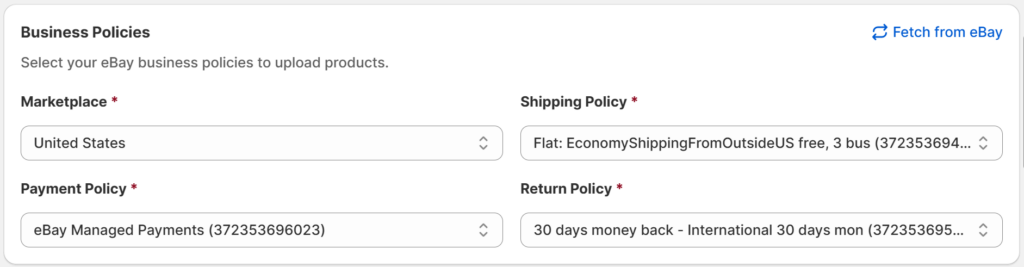
Select the eBay business policies to apply to your listing, including Shipping Policy, Payment Policy, and Return Policy. These options are based on the policy templates you have created on eBay.
First, choose the Marketplace where you want to sell the product, then click Fetch from eBay to retrieve your available business policies.
Shipping Note: Item Weight
On eBay, item weight depends on your shipping setup:
- Calculated shipping: Required (to determine postage)
- Flat rate / Free shipping: Optional
- Local pickup: Not required
Therefore, remember to enter an accurate weight when creating a product to avoid publishing failure.
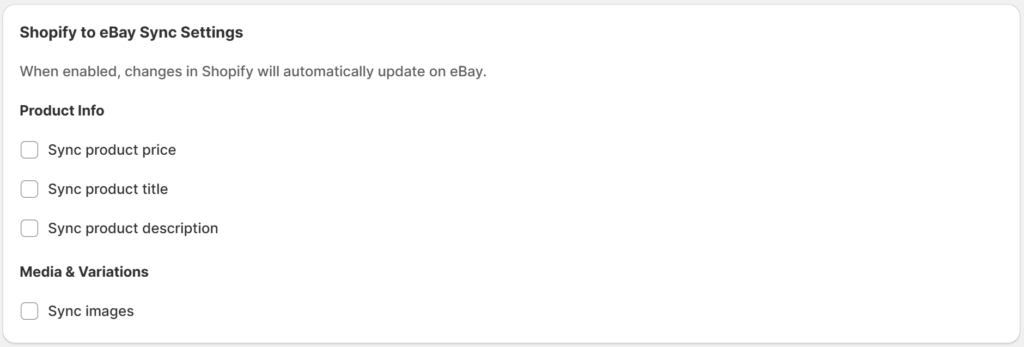
3. Shopify to eBay Sync Settings
Use these settings to synchronize product details from Shopify to eBay, even after the products have been uploaded.
4. Listing & Pricing
Enable Listing & Pricing to adjust prices, modify title settings, and set unique VAT rates for specific products while keeping your general settings intact.
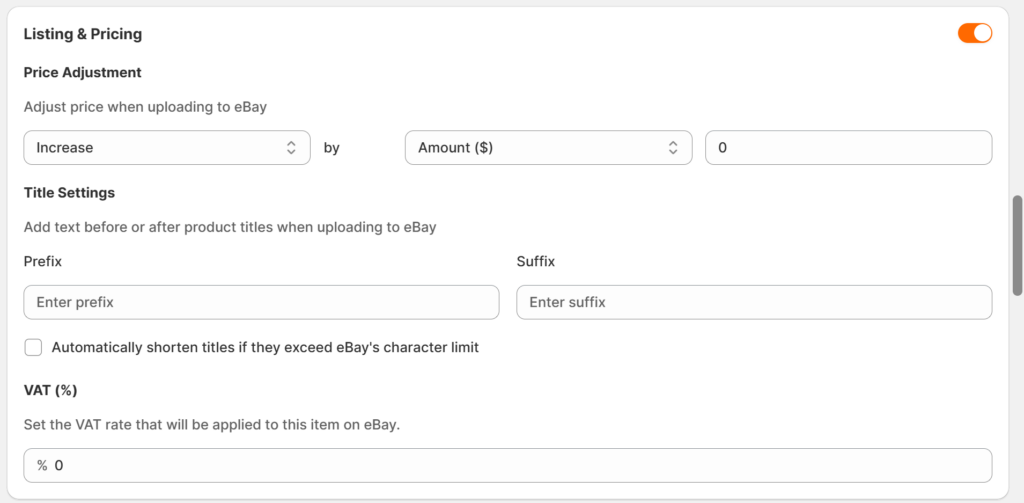
- Price Adjustment: Use this option to modify the product price before uploading it to eBay.
- Title Settings: With this setting, you are able to customize your eBay titles without changing your Shopify product names. Since eBay limits titles to 80 characters, you can enable the Automatic Shorten Title feature to ensure successful publishing. Without this, titles exceeding the limit will trigger an error and require manual modification
- VAT(%): Use this option to enter the specific VAT rate for this product. This value will override your general tax settings for this eBay listing only, without affecting your Shopify product data.
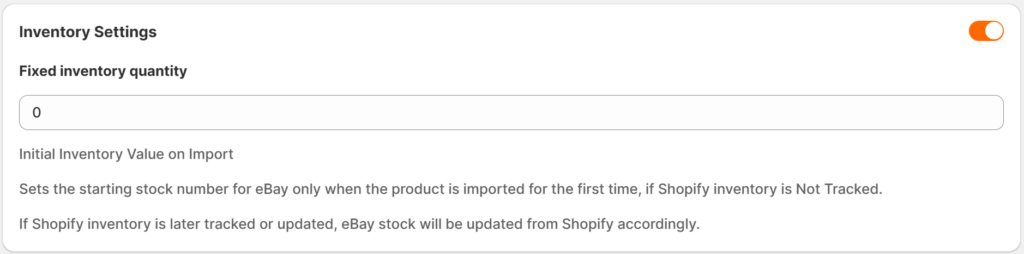
5. Inventory Settings
Enable this option to set a starting quantity for new eBay listings when Shopify inventory is set to “Not Tracked.” This value is applied only during the first import.
6. Product Category & Item Specifics
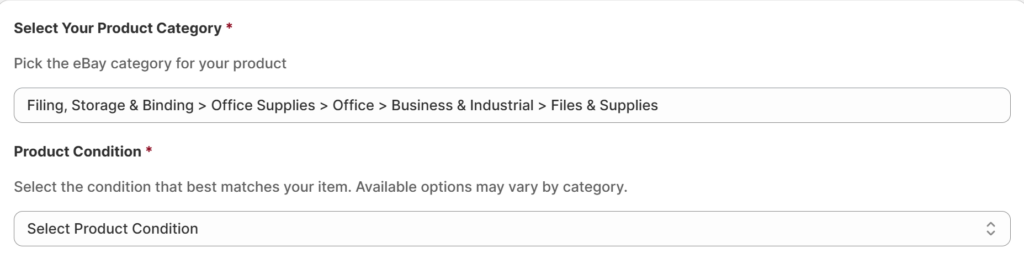
Step 1: Choose the appropriate category for your product when uploading it to eBay.

For example, an A4 Presentation Folder can be placed in the Files & Supplies category. After selecting the category, you must also choose the product condition (e.g., New, Used, Refurbished, etc.).
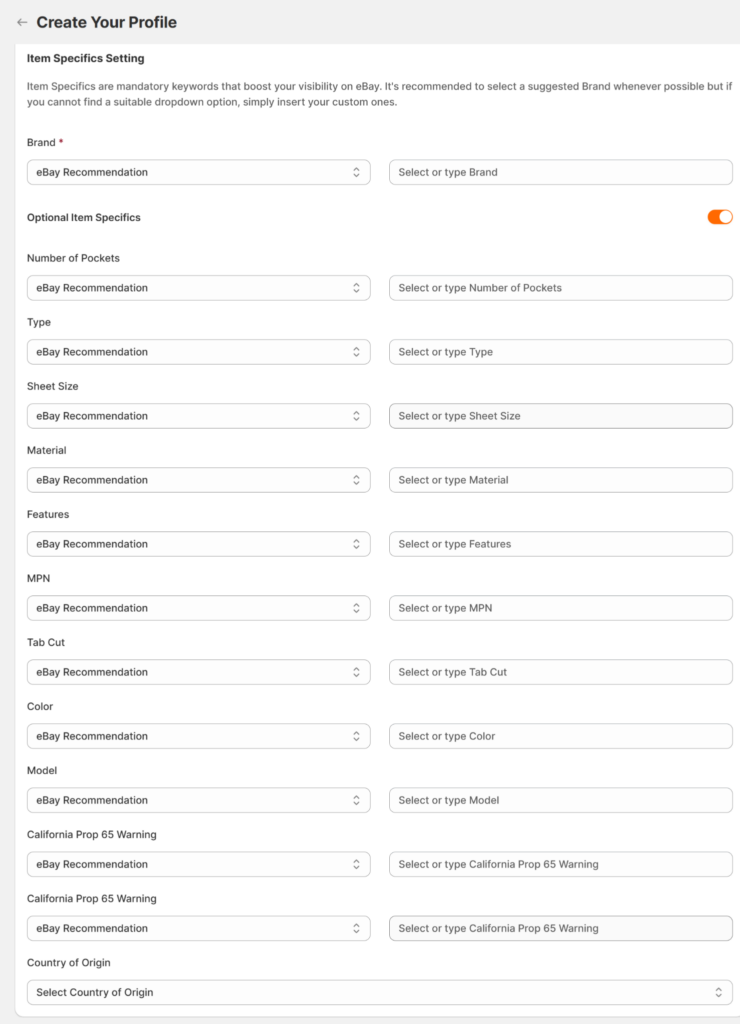
Step 2: After selecting the category and product condition, you should insert insert all required item specifics in order for the product to upload successfully.
- Required Item Specifics: may vary by category; however, depending on your selected category. We recommend selecting a value from the eBay suggested list to ensure listing compliance.
- Optional Item Specifics: which add more details; is recommended to improve your listing’s visibility on eBay.
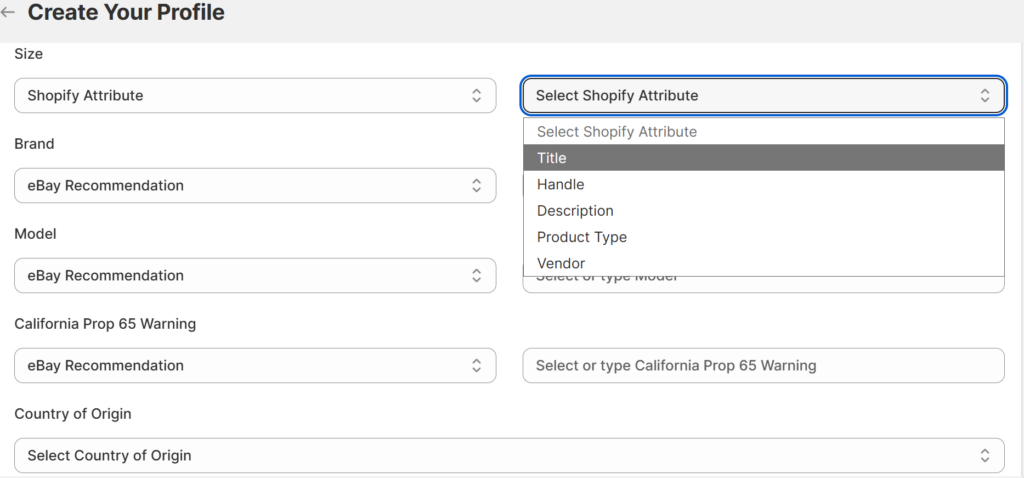
2 Methods to Insert Item Specifics:
- Prioritize eBay Recommendations over Product Attributes for Item Specifics: You should always aim to use eBay’s suggested values, as they act as high-performing keywords. The benefit is a significant boost in visibility and smoother uploading process.
- Align Product Attributes Carefully: When mapping, ensure your Shopify data matches the logic of eBay’s fields and stays within the strict 50-character limit. This allows you to automatically map every attribute from your Shopify products to equipvalent eBay listings for a streamlined bulk upload process.
⚠️ Important: Character Limits
- eBay limits aspect values to 50 characters. Ensure your Shopify product attribute values do not exceed this limit. Longer values may be truncated or cause publishing to fail.
Note on using Existing Profiles:
When you select an existing profile, all previously configured details are applied automatically. You only need to update the fields if you want to make changes.