Table of Contents
After installing Ritafy, you can choose how you want to start using the app.
Import eBay Listings Without Connecting an eBay Account
If you want to import products from eBay to Shopify, click Import from eBay on the Home page.
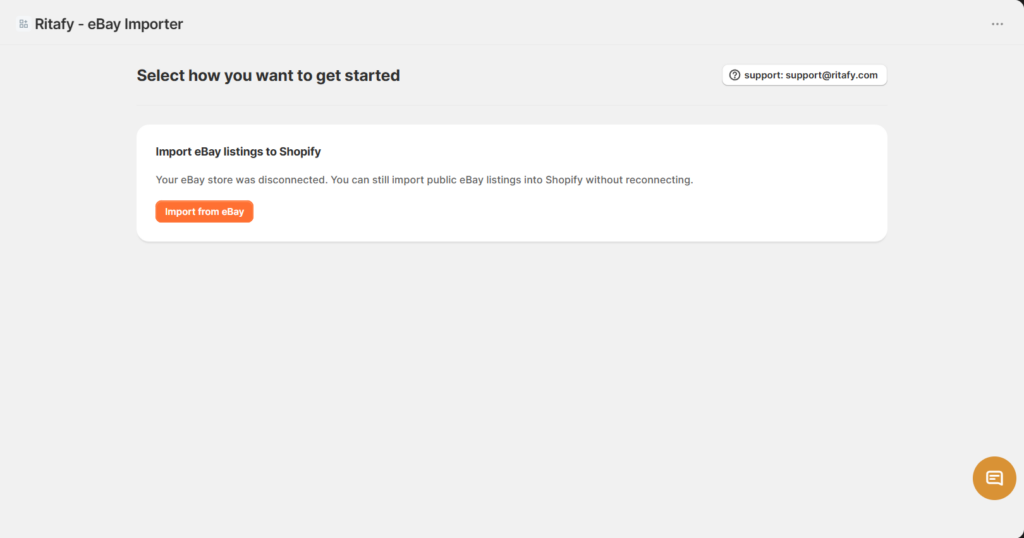
You do not need to connect your eBay account on the Ritafy website to import public eBay listings.
- Open the Ritafy app in Shopify.
- On the Home page, locate Select how you want to get started.
- Click Import from eBay.
- You will be redirected to the eBay Import page where you can import products individually or in bulk.
Then move the detailed instructions to Import from eBay to Shopify:
Single Import
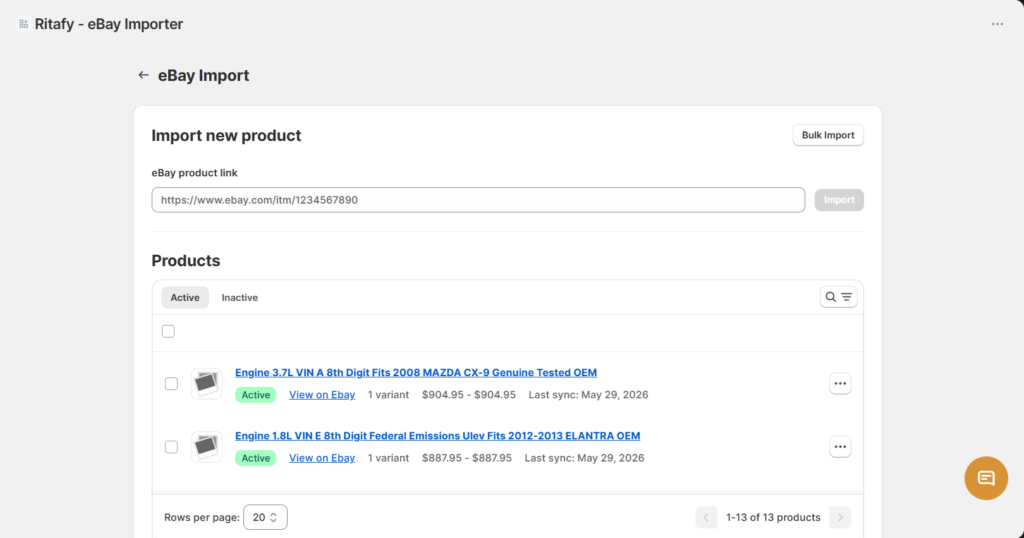
- Open the Ritafy app in Shopify.
- Go to eBay Import.
- Copy the URL of the eBay listing you want to import.
- Paste the URL into the eBay product link field.
- Click Import.
- Wait for the import process to complete.
- The product will appear in the Products list and in your Shopify store.
Bulk Import
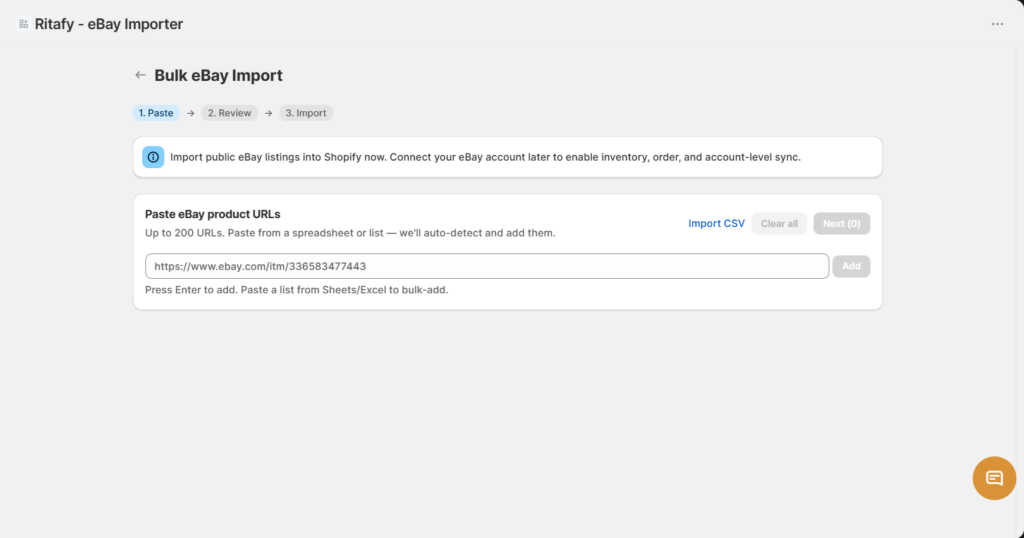
- Open the Ritafy app in Shopify.
- Go to eBay Import.
- Click Bulk Import.
- Enter or upload multiple eBay listing URLs.
- Click Start Import.
- Wait for the import process to finish.
- Review the imported products in Shopify.
Notes
- Public eBay listings can be imported without connecting an eBay account.
- Large imports may take longer to process.
- Imported products can be edited in Shopify after import.