The Import from eBay to Shopify feature allows you to:
- Import individual products from eBay to Shopify
- Import multiple products in bulk
- Delete imported products from Shopify directly in bulk or individually.
How it works:
Step 1: Open Ritafy in your Shopify admin.
Step 2: Go to the eBay Products tab. You will see a list of available eBay products that can be imported to Shopify, as shown in the image below.
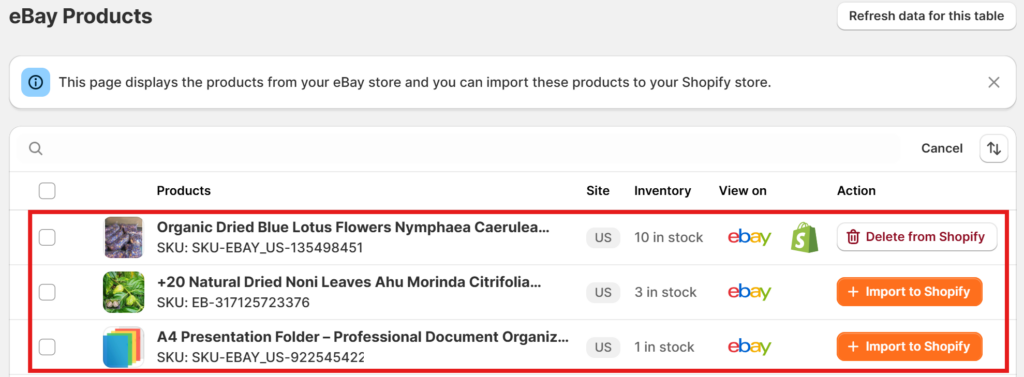
Step 3: Choose the products that you want to Import or Delete.
For Single Product Import:
- Select the product that you want to import, and click the “Import to Shopify” button in the Action column.
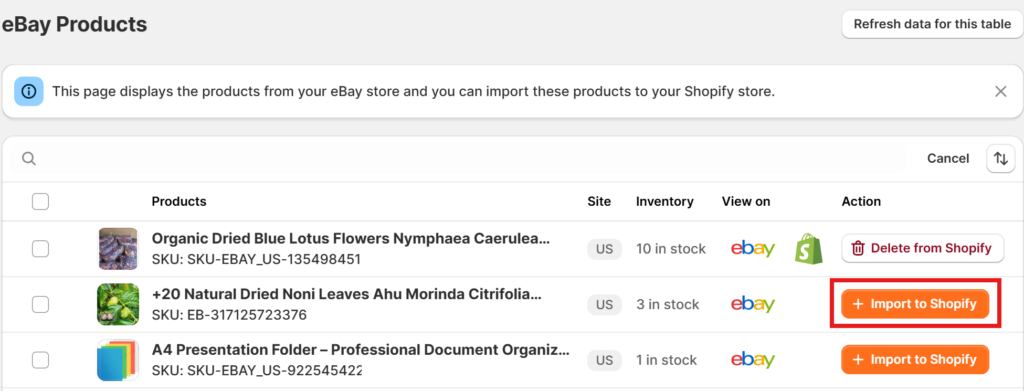
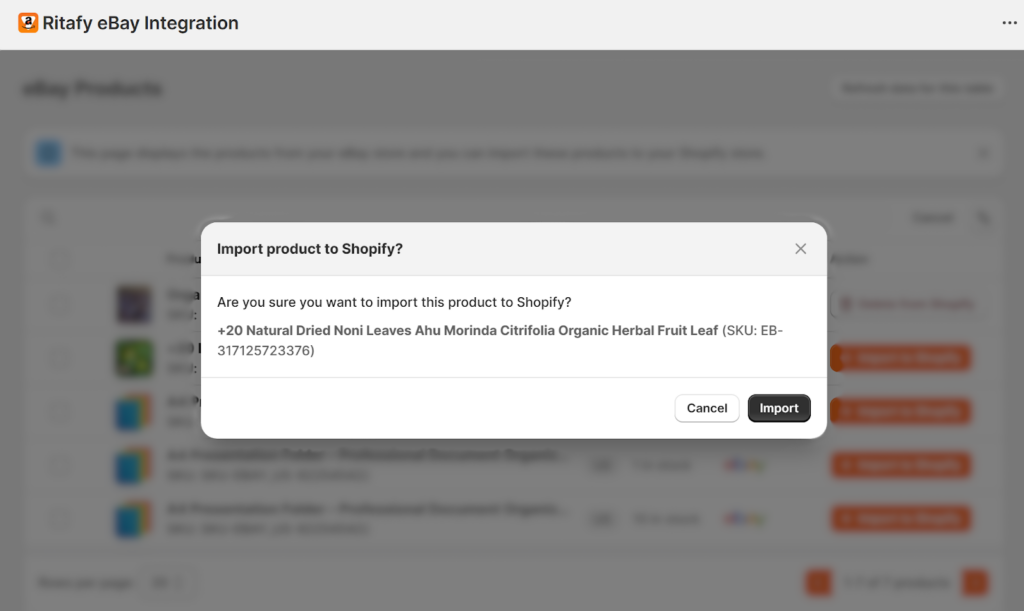
- A confirmation pop-up will appear as shown in the image below. Click Import to confirm and proceed.
- Once the import is successful, the product will appear at the top of the list, and the Action button will change from “Import to Shopify” to “Delete from Shopify” as shown in the image.
- In case you want to remove a previously imported product, locate it in the list, click the “Delete from Shopify” button, and confirm the action in the pop-up dialog. The product will then be removed from your Shopify store.
For Bulk Action: Use bulk actions to process multiple products at once.
To select all products: Click the checkbox at the top-left corner of the product list to select all listed products. Choose the appropriate bulk action (Import or Delete) as shown in the image below.
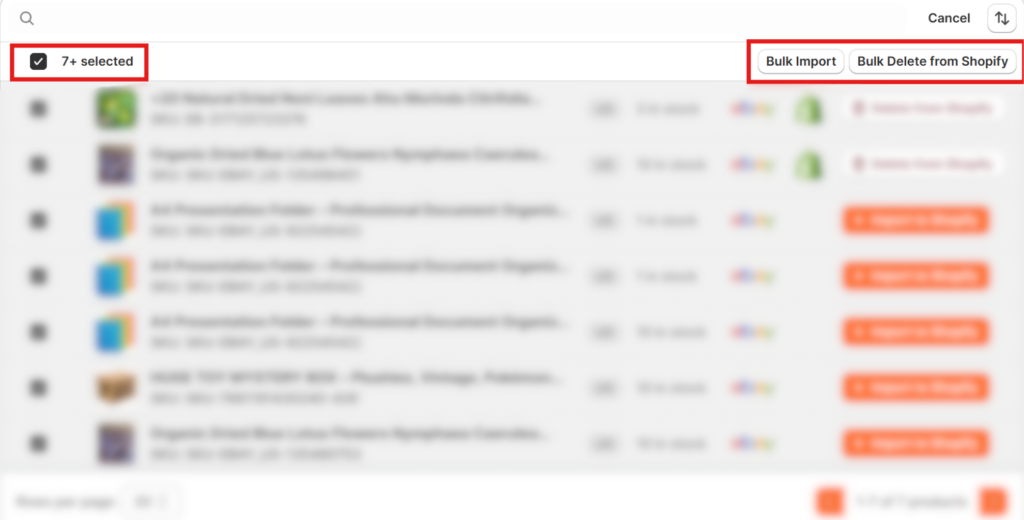
To select individual products: Simply tick the checkbox next to each product you want to include and perform the desired bulk action: Bulk Import or Bulk Delete from Shopify.