Enabling Order Sync
Go to Settings → Order & Inventory Sync and toggle on Order Sync. Once enabled, Ritafy will start fetching eBay orders from that date onward — orders placed before activation will not be imported.
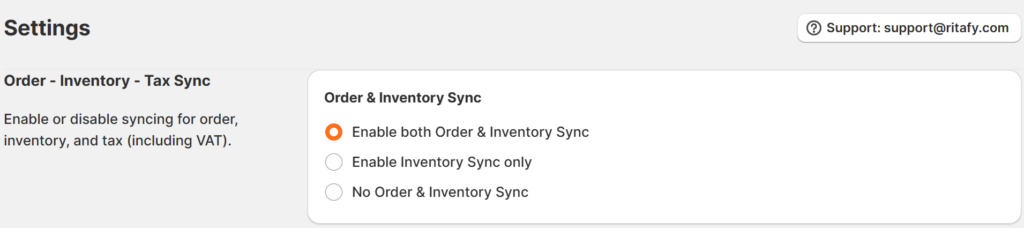
Order & Inventory Sync Settings
You have three options:
- Enable both Order & Inventory Sync — imports eBay orders into Shopify and syncs inventory across both platforms.
- Enable Inventory Sync only — syncs stock levels without importing orders.
- No Order & Inventory Sync — turns off both order and inventory sync.
You can also set an order prefix (e.g., “eBay-“) that will be added to every imported order’s title in Shopify, making it easy to tell eBay orders apart from native Shopify orders.
The Orders Page
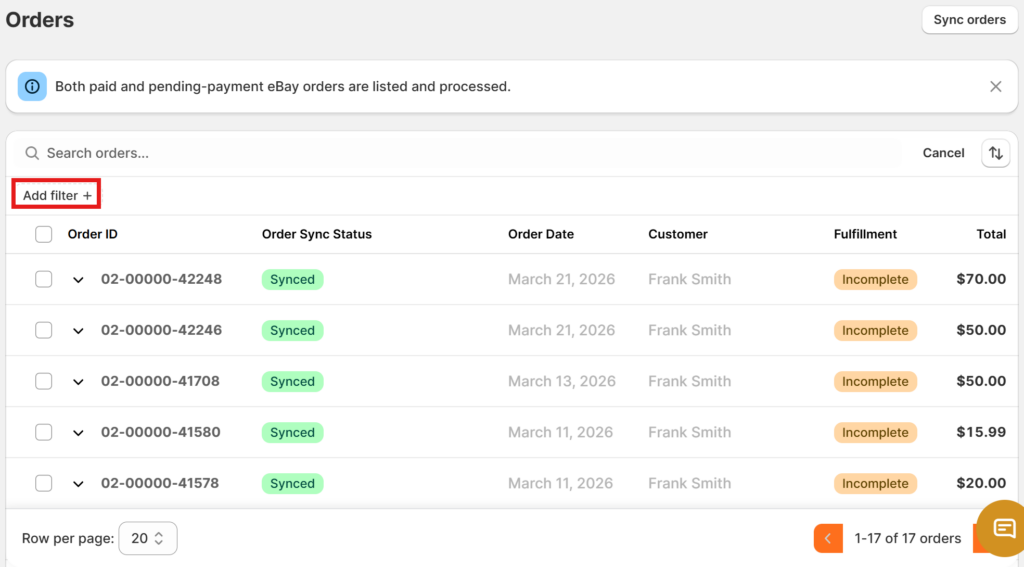
The Orders page lists all your eBay orders. Use the “Add filter” at the top to search and filter orders. You can view the following details for each order:
| Field | Description |
| Order ID | Unique eBay order identifier |
| Order Sync Status | Synced, Syncing, or Failed |
| Order Date | Date the order was placed |
| Customer | Buyer’s name |
| Fulfillment | Whether the order has been fulfilled — Complete or Incomplete |
| Total | Order value |
You can control how many orders are shown per page using the Row per page dropdown at the bottom, and navigate between pages using the arrow buttons.
Viewing Order Details
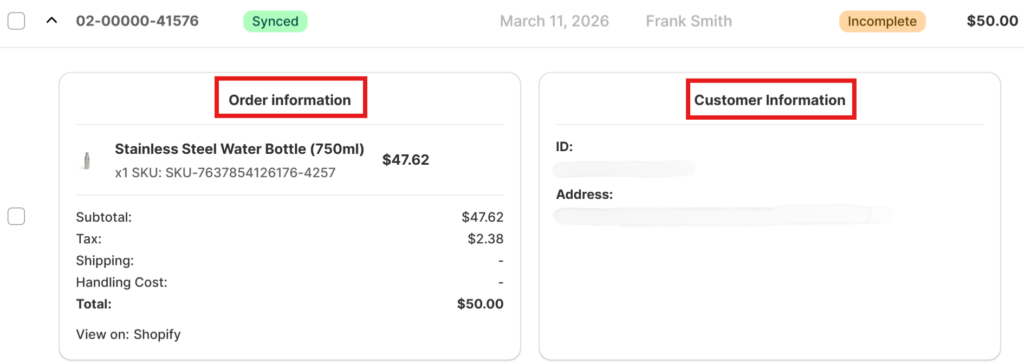
Click the arrow next to an Order ID to expand its details. You’ll see two sections:
- Order Information — includes the product name, SKU, quantity, subtotal, shipping and handling costs, and total. You’ll also find a View on: Shopify link that lets you jump directly to the order in your Shopify admin.
- Customer Information — includes the buyer’s ID and shipping address.
How Orders Are Matched to Products
Ritafy links eBay orders to Shopify products by SKU. Here’s how it works:
- If the product was uploaded or imported via Ritafy, it links automatically.
- If not, Ritafy searches for a matching SKU in your Shopify store.
- If multiple products share the same SKU, Ritafy links to the first match found.
- If no matching SKU is found, the sync will fail, and you’ll be prompted to link the product manually. Once linked, future orders with the same SKU will sync automatically.
Order Fulfillment
When an order syncs successfully, its status shows as Synced in green. When you fulfil the order in Shopify, it will automatically be marked as fulfilled on eBay as well — no extra steps needed.
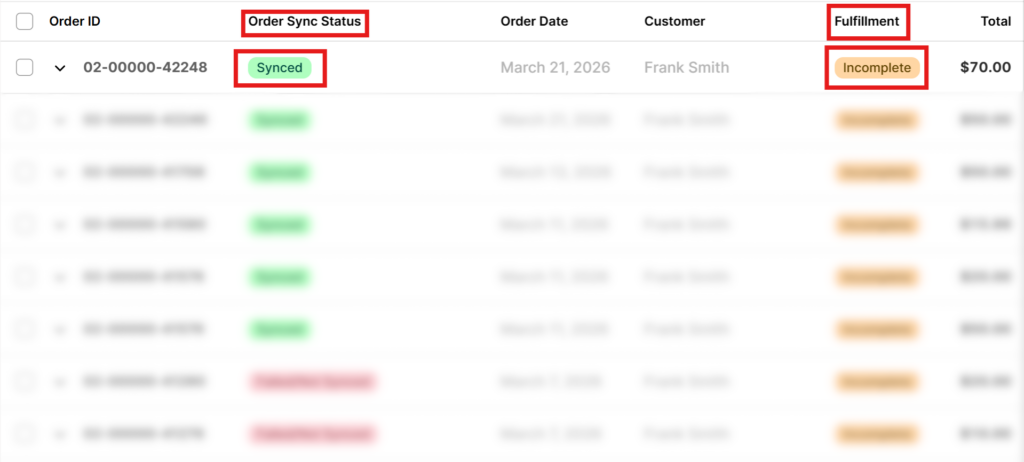
If you run into any issues, check the sync status on the Orders page and reach out via the in-app chat. We’re here to help!