The Settings feature allows you to control how data is synced between eBay and Shopify, ensuring:
- Accurate order, inventory, and tax synchronization
- Flexible order management and identification
- Better control over inventory behavior and product linking
- Reduced manual work through automation and notifications
How it works: Open Ritafy, then navigate to the Settings tab in the sidebar to view all available settings, as shown below.
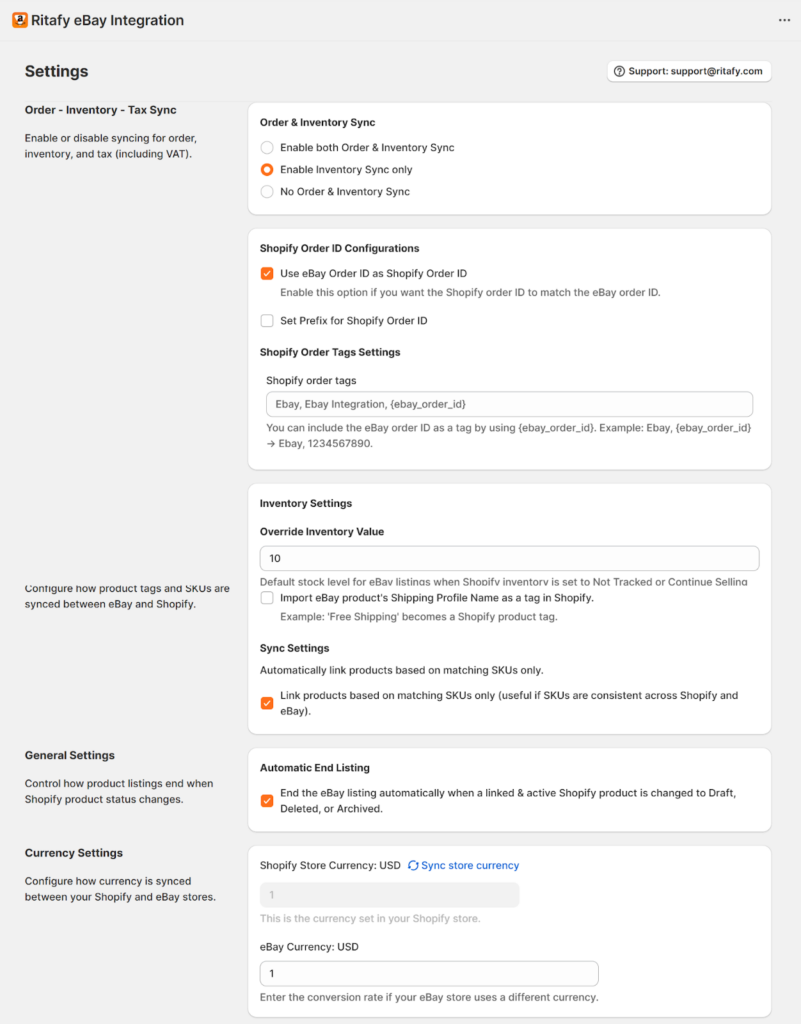
1. Order & Inventory Sync
Use these settings to manage your automated sync preferences for both orders and inventory.
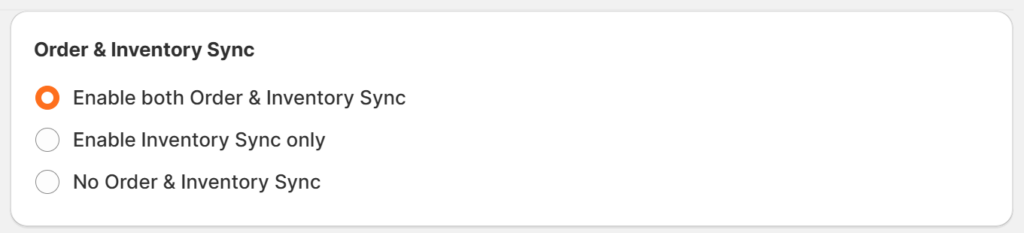
How it works:
- Enable Order & Inventory Sync: To sync both orders and stock levels.
- Enable Inventory Sync only: To sync stock without importing orders.
- No Order & Inventory Sync: To disable sync between platforms.
2. Shopify Order Name Configurations
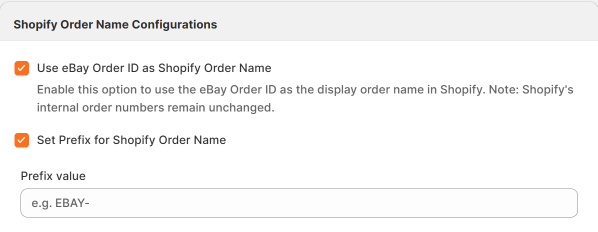
These settings allow you to customise how order names are displayed in Shopify by using the eBay order ID or adding a custom prefix for easier identification.
How it works
- Use eBay Order ID as Shopify Order Name
Enable this option to use the eBay order ID as the display order name in Shopify.
Note: Shopify’s internal order numbers remain unchanged. - Set Prefix for Shopify Order Name
Add a custom prefix to Shopify order names to make eBay orders easier to identify in your Shopify admin.
3. Shopify Order Tags Settings
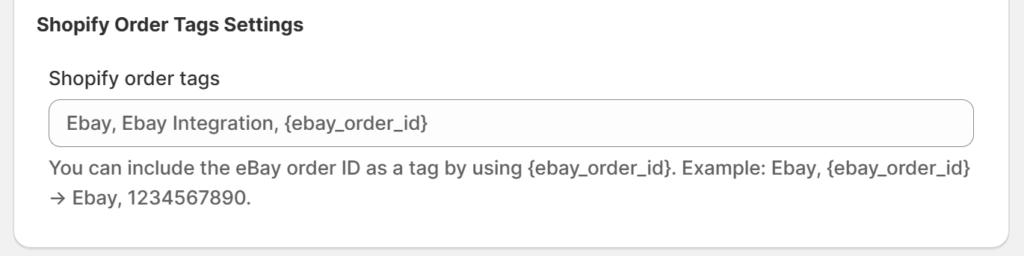
This setting allows you to add custom tags to orders in Shopify, which helps you organize, filter, and automate workflows more efficiently, making it easier to manage and track orders.
How it works:
- Define Your Tags: In the settings field, enter the words or phrases you want to appear as tags in Shopify, separated by commas (e.g., eBay, eBay Integration).
- Use Dynamic Placeholders: To include specific order details, use the {ebay_order_id} tag.
- Automatic Labeling: When an eBay order syncs, the app replaces the placeholder with the actual data.
For example, if you enter Ebay, {ebay_order_id}, a new order will appear in Shopify with the tag: Ebay, 1234567890.
4. Order and Tax Settings
These settings allow you to use the shipping address as the billing address in Shopify orders, and handle taxes by importing eBay tax data or applying additional taxes.
How it works:
- Use Shipping Address as Billing Address
Automatically assign the shipping address as the billing address in Shopify orders. - Import tax collected on eBay into Shopify orders
Ensures accurate tax data is carried over, keeping order totals consistent and simplifying accounting. - Apply an additional exclusive tax when importing orders to Shopify
Let’s you add extra taxes on top of existing amounts, ensuring compliance with local tax rules.
5. Inventory Settings
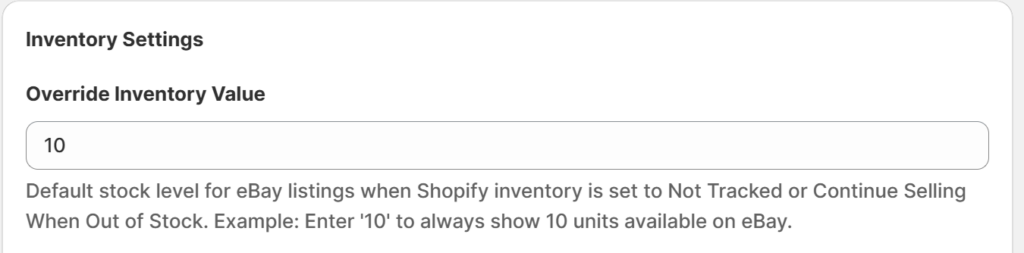
Use this setting to override inventory levels on eBay to ensure your eBay listings always display a fixed available quantity.
How it works:
- Override Inventory Value
Set a default stock level for eBay listings when:- Shopify inventory is Not Tracked, or
- “Continue selling when out of stock” is enabled
6. Notifications Settings
This setting allows you to receive email notifications when an order fails to sync from eBay to Shopify.

How it works:
- Order Failure Alerts: Check this option to receive an email notification if an order fails to sync.
7. Product Sync Settings
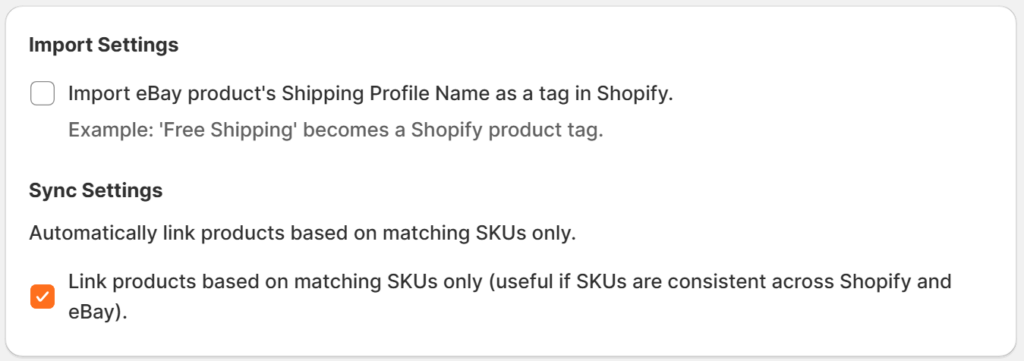
Use these settings to tag orders with eBay shipping profile names for easier filtering and fulfillment, and to automatically link products by matching identical SKUs, reducing manual mapping and syncing errors.
How it works:
- Import Settings: Select this option to import the eBay product Shipping Profile Name as a tag in Shopify.
- Sync Settings: Select this option to automatically link products by matching SKUs only. Products will be matched only when SKUs are identical on both platforms.
8. General Settings
This setting allows you to automatically end eBay listings when the linked product in Shopify is set to draft, deleted, or archived to prevent overselling, keep listings accurate, and reduce manual management.

How it works:
- Automatically end eBay listings when the linked Shopify product is:
- Draft
- Deleted
- Archived
9. Currency Settings
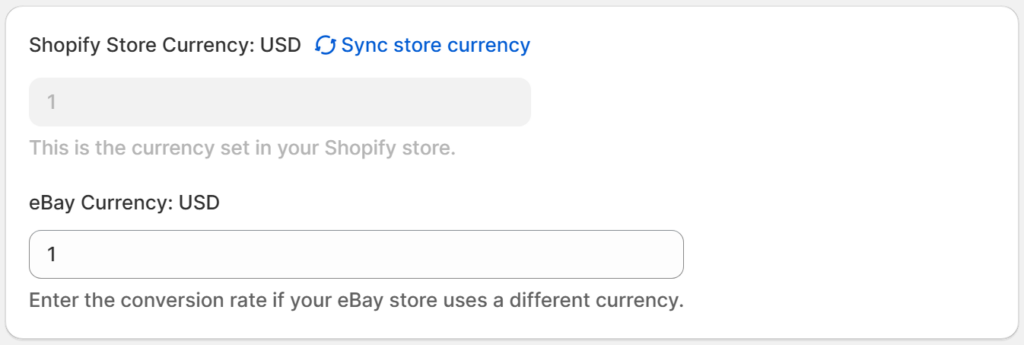
Use this setting to configure how currency is handled between Shopify and eBay, ensuring consistent pricing and preventing conversion discrepancies across orders.
How it works:
- Sync currencies between both platforms, or
- Set a custom conversion rate for imported products on eBay.